Handbook / Indicators / Nexural Flow Pro
Nexural Flow Pro
A check on whether real buyers or sellers are behind the move you planned.
In one sentence
Flow Pro asks one thing. Are real buyers or sellers behind the move you planned?
Why it matters
This is the "Go or no-go" tool in STS, the Sage Trading System. It is the last market check before your own risk check. See Step 3: Go or no-go.
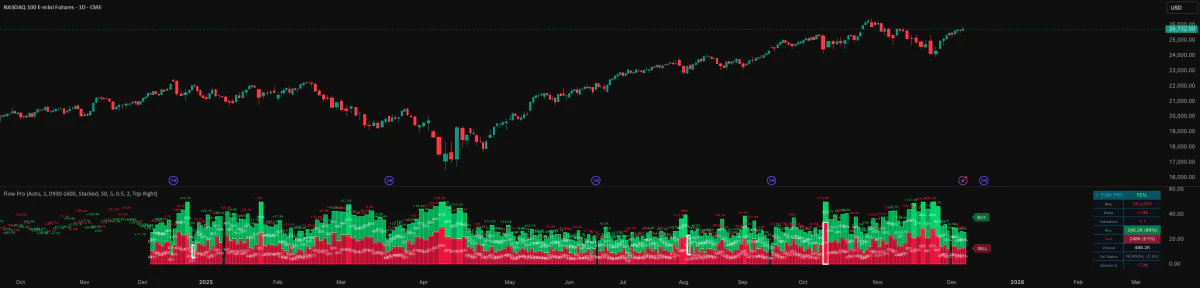
Buy and sell columns show which side is active. When one side is three times the other or more, the tool marks it as an extreme. It also flags busy, flat, even, or thin trading. Busy means more than 1.5 times normal volume. Thin means less than half of normal.
It comes after Volume Profile and QPulse. It says yes or no. It does not start the trade.
Do this
- Check that the level and the timing have already passed their steps.
- Compare which side is in charge with the way you want to trade.
- Say no to flow that goes against you, or is dead, thin, or even.
- A yes only clears this step. Work out the trade plan on its own.
Real example
This is a teaching example, not a real trade.
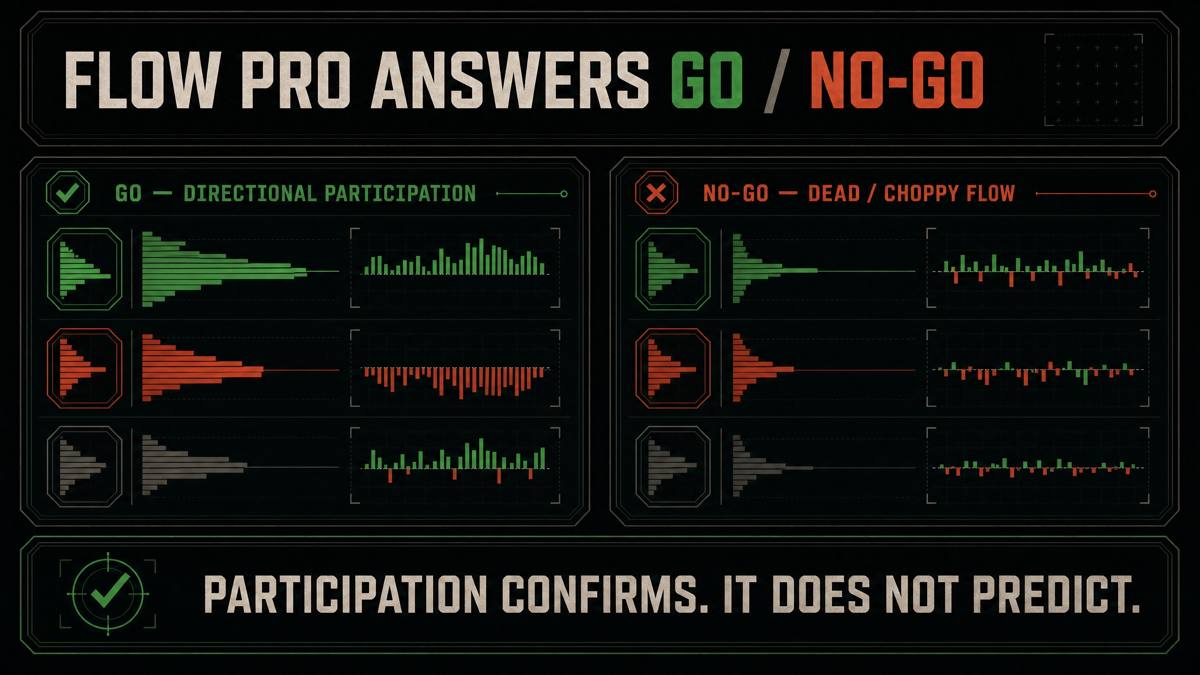
The level and the timing line up for a buy. But Flow Pro stays flat and the columns are even. The first two steps passed, but no real money showed up. Pass. A bigger size, a tighter stop, or a brighter QPulse bar cannot fix dead flow.
Common mistakes
- Using Flow Pro alone as an entry, far from any planned level.
- Thinking a glowing column means the move must keep going.
- Forcing a trade in flat, even, or quiet flow because the other tools look good.
- Forgetting to check if the tool had real volume data or an estimate.
What it can't do
TradingView does not give full trade-by-trade data to the tool. So this flow is a close guess, not true order flow. It cannot fix a missing trigger or a clash with the bigger chart.